Four-port USB hub
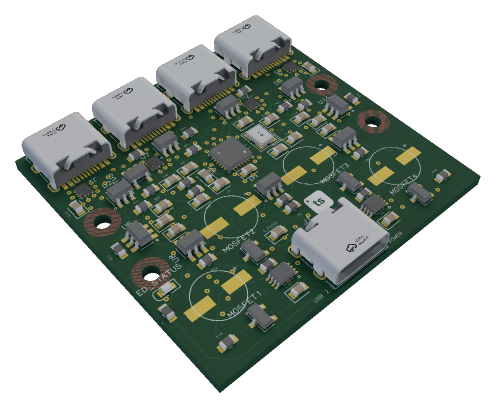
A computer-powered four-port USB 2.0 hub for connecting multiple desktop modules.
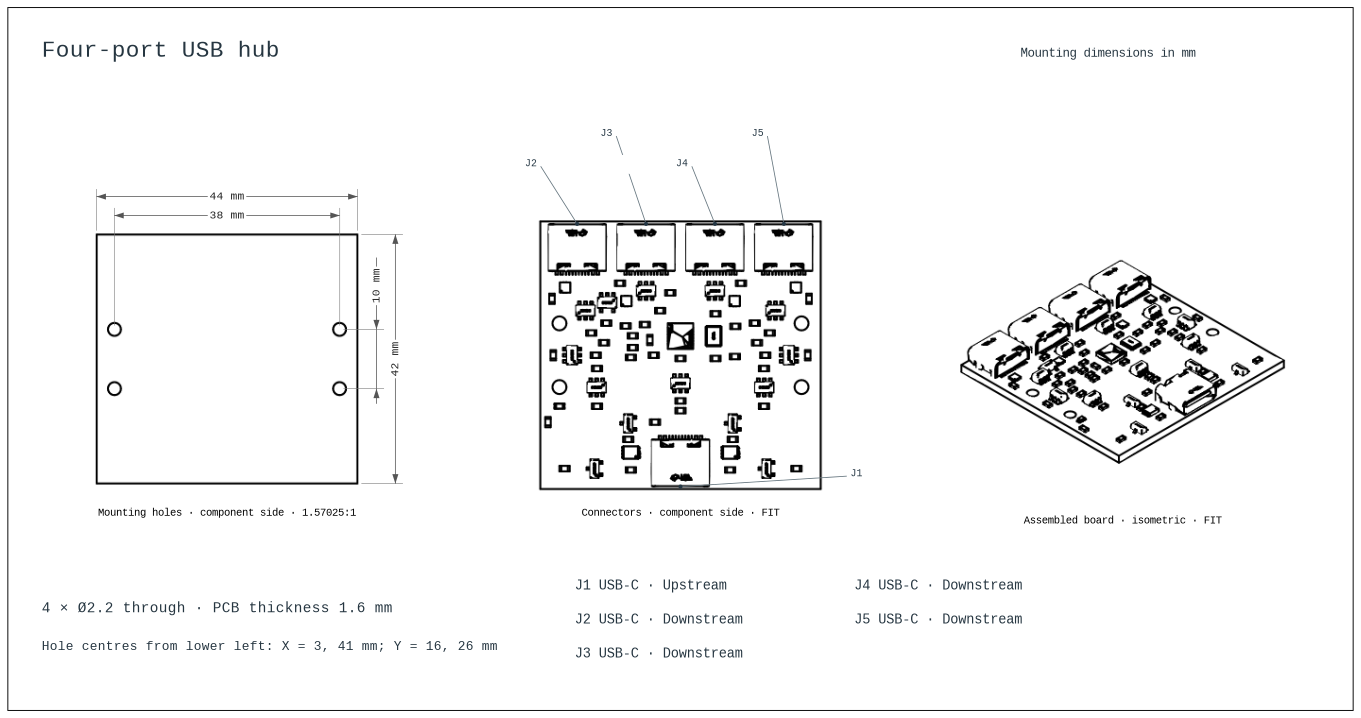
Download datasheet (PDF)Modeled component height: approximately 3.3 mm above the component-side PCB surface.
Usage
Connect the upstream USB-C port to a computer with a data cable, then plug the peripherals into the four downstream ports. Allow up to 100 mA per downstream module in this design. Add each supported peripheral in the console. Leave clearance in the enclosure for all five plugs.
Protocol
USB 2.0 hub class. The operating system handles the hub. Each attached device enumerates with its own protocol.
| Operation | Request or signal | Result |
|---|---|---|
| Discover the hub | GET_DESCRIPTOR for the hub descriptor. | Reports hub characteristics and downstream port count. |
| Watch for a change | Poll the interrupt IN endpoint. | Returns a bitmap of hub and port changes. |
| Read a port | Port GET_STATUS. | Returns port status and change flags. |
| Reset a port | Port SET_FEATURE(PORT_RESET). | Starts the downstream reset used during enumeration. |
Mounting
The PCB measures 44 × 42 mm, with 4 × Ø2.2 mm clearance holes for M2 screws. The centre-to-centre spacing is 38 × 10 mm. Orient the component side with the J1 USB-C port at the bottom. Measure right and up from the lower-left corner of the PCB in the component-side view. The hole centres are at X = 3, 41 mm and Y = 16, 26 mm.